Pas 0 – Inainte de a incepe
Avem deja create/adaugate:

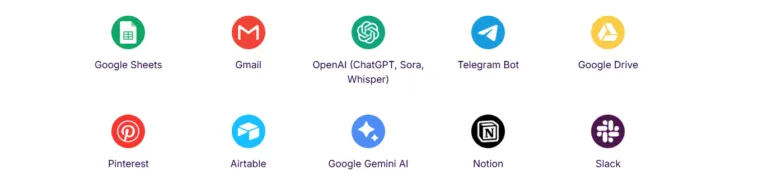
- Cont platit Airtable
- API key OpenAi https://platform.openai.com/api-keys
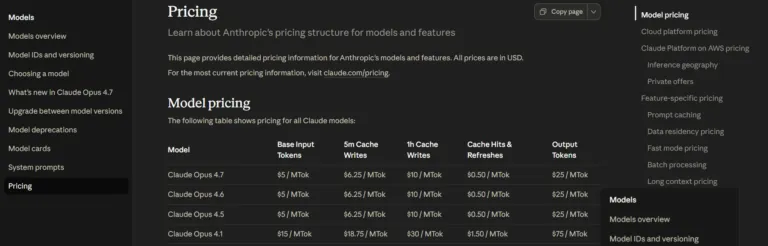
- API key Claude https://platform.claude.com/settings/keys
- API key Zernio https://zernio.com/ + canale de postare deja configurate
- API key imgbb https://imgbb.com/
Pas 1 – Generare si postare in social media cu Airtable dar fara make.com
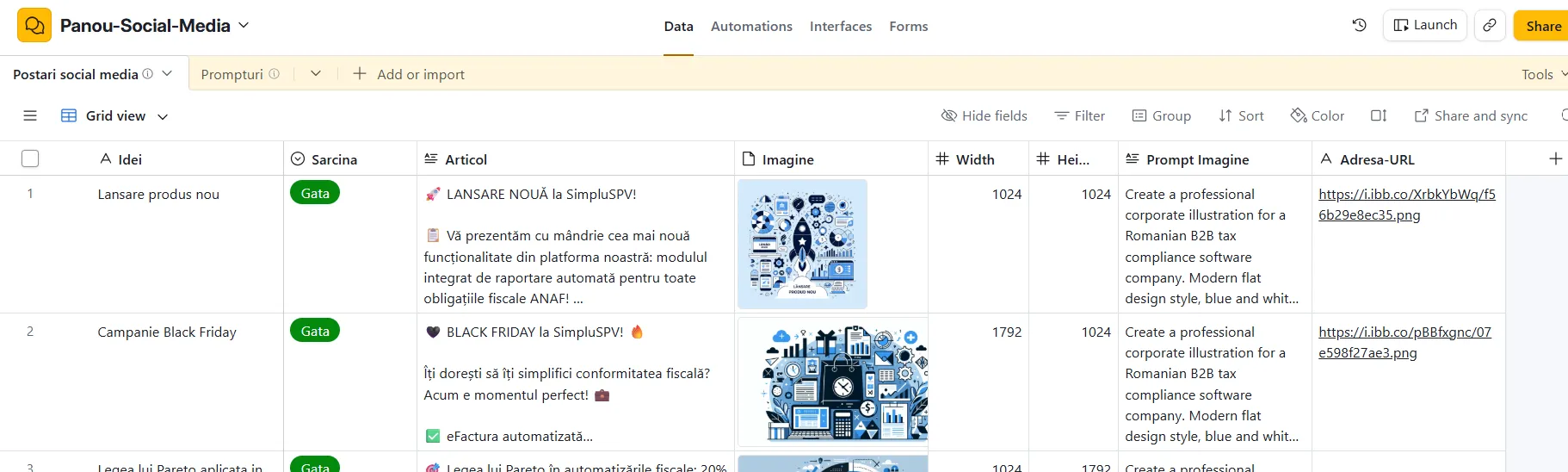
In primul script (Aproba=genereaza) folosim scriptul:
const config = input.config();
const recordId = config.recordId;
const idee     = config.idee || "";
// Citeste dimensiunile din record (setate de utilizator in tabel)
const wRaw = parseInt(config.width)  || 1792;
const hRaw = parseInt(config.height) || 1024;
const CLAUDE_API_KEY = input.secret('CLAUDE_API_KEY');
const OPENAI_API_KEY = input.secret('OPENAI_API_KEY');
const IMGBB_API_KEY = input.secret('IMGBB_API_KEY');
// ============================================================
// PASUL 0: Citeste promptul activ din tabelul Prompturi
// ============================================================
console.log("Citesc promptul activ...");
const tblPrompturi = base.getTable("Prompturi");
const queryPrompturi = await tblPrompturi.selectRecordsAsync({
fields: ["Nume", "Prompt Articol", "Prompt Imagine", "Activ"]
});
const promptRecord = queryPrompturi.records.find(r => r.getCellValue("Activ") === true);
if (!promptRecord) throw new Error("Nu exista niciun prompt activ! Bifeaza campul Activ in tabelul Prompturi.");
const promptArticol = promptRecord.getCellValueAsString("Prompt Articol");
const promptImagine = promptRecord.getCellValueAsString("Prompt Imagine");
console.log("Prompt activ: " + promptRecord.getCellValueAsString("Nume"));
// ============================================================
// PASUL 1: Claude genereaza articolul
// ============================================================
console.log("Generez articolul cu Claude...");
const promptFinal = promptArticol + "\n\nIDEE: " + idee + "\n\nRaspunde DOAR cu JSON valid:\n{\"articol\": \"textul complet al postarii\"}";
const claudeResp = await fetch("https://api.anthropic.com/v1/messages", {
method: "POST",
headers: {
"Content-Type": "application/json",
"x-api-key": CLAUDE_API_KEY,
"anthropic-version": "2023-06-01"
},
body: JSON.stringify({
model: "claude-sonnet-4-20250514",
max_tokens: 1500,
messages: [{ role: "user", content: promptFinal }]
})
});
const claudeData = await claudeResp.json();
if (!claudeData.content?.[0]) throw new Error("Eroare Claude: " + JSON.stringify(claudeData));
let articol = "";
try {
const parsed = JSON.parse(claudeData.content[0].text.trim().replace(/```json|```/g, "").trim());
articol = parsed.articol || "";
} catch(e) {
articol = claudeData.content[0].text;
}
console.log("Articol generat!");
// ============================================================
// PASUL 2: DALL-E 3 genereaza imaginea
//
// Dimensiunea trimisă la DALL-E se alege automat dintre cele 3 valide
// (1024x1024, 1792x1024, 1024x1792) în funcție de ce ai setat în tabel
// ============================================================
console.log("Generez imaginea...");
const promptImagineFinal = promptImagine + " " + idee;
// DALL-E 3 accepta doar 3 dimensiuni valide — alegem cea mai apropiata
const dimensiuniValide = [
{ w: 1024, h: 1024, label: "1024x1024" },
{ w: 1792, h: 1024, label: "1792x1024" },
{ w: 1024, h: 1792, label: "1024x1792" }
];
const dim = dimensiuniValide.reduce((best, d) => {
const distCurr = Math.abs(d.w - wRaw) + Math.abs(d.h - hRaw);
const distBest = Math.abs(best.w - wRaw) + Math.abs(best.h - hRaw);
return distCurr < distBest ? d : best;
});
console.log("Dimensiuni din record: " + wRaw + "x" + hRaw + " → DALL-E va folosi: " + dim.label);
let dalleUrl = null;
try {
const dalleResp = await fetch("https://api.openai.com/v1/images/generations", {
method: "POST",
headers: {
"Content-Type": "application/json",
"Authorization": "Bearer " + OPENAI_API_KEY
},
body: JSON.stringify({
model: "dall-e-3",
prompt: promptImagineFinal,
n: 1,
size: dim.label,
quality: "standard"
})
});
const dalleData = await dalleResp.json();
if (dalleData.error) {
console.log("Eroare DALL-E: " + dalleData.error.message);
} else {
dalleUrl = dalleData.data[0].url;
console.log("Imagine generata: " + dim.label + "!");
}
} catch(e) {
console.log("Imaginea a esuat: " + e.message);
}
// ============================================================
// PASUL 3: Upload imagine la ImgBB (URL permanent, gratuit)
// ============================================================
console.log("Upload la ImgBB...");
function toBase64(buffer) {
const chars = 'ABCDEFGHIJKLMNOPQRSTUVWXYZabcdefghijklmnopqrstuvwxyz0123456789+/';
const bytes = new Uint8Array(buffer);
let result = '';
for (let i = 0; i < bytes.length; i += 3) {
const b0 = bytes[i], b1 = bytes[i+1] || 0, b2 = bytes[i+2] || 0;
result += chars[b0 >> 2];
result += chars[((b0 & 3) << 4) | (b1 >> 4)];
result += i+1 < bytes.length ? chars[((b1 & 15) << 2) | (b2 >> 6)] : '=';
result += i+2 < bytes.length ? chars[b2 & 63] : '=';
}
return result;
}
const imgResp   = await fetch(dalleUrl);
const imgBuffer = await imgResp.arrayBuffer();
const base64    = toBase64(imgBuffer);
const formData  = "key=" + IMGBB_API_KEY + "&image=" + encodeURIComponent(base64);
const imgbbResp = await fetch("https://api.imgbb.com/1/upload", {
method: "POST",
headers: { "Content-Type": "application/x-www-form-urlencoded" },
body: formData
});
const imgbbData = await imgbbResp.json();
let imaginePerma = dalleUrl; // fallback la URL DALL-E daca esueaza
if (imgbbData.success) {
imaginePerma = imgbbData.data.url;
console.log("ImgBB upload reusit: " + imaginePerma);
} else {
console.log("ImgBB esuat, folosesc URL DALL-E: " + JSON.stringify(imgbbData));
}
// ============================================================
// PASUL 4: Salveaza in Airtable
// ============================================================
const tbl = base.getTable("Postari social media");
await tbl.updateRecordAsync(recordId, {
"Articol":        articol,
"Prompt Imagine": promptImagineFinal,
"Adresa-URL":     imaginePerma,
"Imagine":        [{ url: imaginePerma, filename: "imagine.jpg" }]
});
console.log("Gata!");
Scriptul 2 (Publica in zernio) folosim scriptul:
const config = input.config();
const recordId = config.recordId;
const ZERNIO_API_KEY  = input.secret('ZERNIO_API_KEY');
const ZERNIO_ACCOUNTS = JSON.parse(input.secret('ZERNIO_ACCOUNT_IDS'));
// ============================================================
// Citeste URL-ul imaginii direct din record
// ============================================================
// Citeste articolul si URL-ul imaginii din Airtable
const tbl    = base.getTable("Postari social media");
const record = await tbl.selectRecordAsync(recordId, { fields: ["Articol", "Adresa-URL"] });
const articol = record.getCellValueAsString("Articol");
const imgUrl  = record.getCellValueAsString("Adresa-URL") || null;
if (!articol) throw new Error("Campul Articol este gol. Genereaza continutul mai intai.");
console.log("Articol citit!");
if (imgUrl) {
console.log("Imagine gasita: " + imgUrl);
} else {
console.log("Fara imagine — postare doar text.");
}
// ============================================================
// PASUL 1: Construieste lista de platforme active
// ============================================================
// Publicam pe toate platformele conectate — ajusteaza dupa nevoie
const platforme = [
{ platform: "facebook",  accountId: ZERNIO_ACCOUNTS.facebook  },
{ platform: "linkedin",  accountId: ZERNIO_ACCOUNTS.linkedin  },
{ platform: "instagram", accountId: ZERNIO_ACCOUNTS.instagram },
{ platform: "tiktok",    accountId: ZERNIO_ACCOUNTS.tiktok    }
].filter(p => p.accountId && p.accountId !== ""); // exclude platformele fara account ID
console.log("Platforme active: " + platforme.map(p => p.platform).join(", "));
if (platforme.length === 0) {
throw new Error("Nu exista niciun account ID configurat in secretul ZERNIO_ACCOUNT_IDS.");
}
// ============================================================
// PASUL 2: Construieste payload-ul pentru Zernio
// ============================================================
// Calculeaza maine la 10:00 ora Bucuresti
const acum = new Date();
const maine = new Date(acum);
maine.setDate(maine.getDate() + 1);
// Formatat ca "YYYY-MM-DDT10:00:00"
const an  = maine.getFullYear();
const luna = String(maine.getMonth() + 1).padStart(2, "0");
const zi   = String(maine.getDate()).padStart(2, "0");
const scheduledFor = `${an}-${luna}-${zi}T10:00:00`;
console.log("Programat pentru: " + scheduledFor);
// Payload Zernio
const payload = {
content: articol,
scheduledFor: scheduledFor,
timezone: "Europe/Bucharest",
platforms: platforme
};
if (imgUrl) {
payload.mediaItems = [{ type: "image", url: imgUrl }];
console.log("Imagine atasata: " + imgUrl);
}
// ============================================================
// PASUL 3: Trimite la Zernio API
// ============================================================
console.log("Trimit la Zernio...");
const zernioResp = await fetch("https://zernio.com/api/v1/posts", {
method: "POST",
headers: { "Content-Type": "application/json", "Authorization": "Bearer " + ZERNIO_API_KEY },
body: JSON.stringify(payload)
});
const zernioData = await zernioResp.json();
if (!zernioResp.ok) throw new Error("Eroare Zernio: " + JSON.stringify(zernioData));
const zernioPostId = zernioData.post?._id || "";
console.log("Programat cu succes! Post ID: " + zernioPostId);
console.log("Gata! Postarea va fi publicata maine la 10:00.");