Pas 0 – Inainte de a incepe
Avem deja create/adaugate:

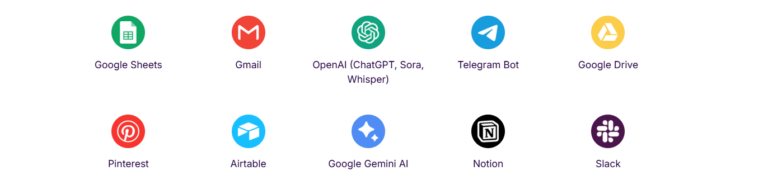
- cont gratuit/platit in make.com https://www.make.com/en/login
- cont platit in Airtable https://airtable.com/
- Conexiunea intre make si airtable
- Claude console API key setat si integrat cu make.com https://platform.claude.com/settings/keys
- OpenAi API key setat si integrat cu make.com https://platform.openai.com/api-keys
- Contul gratuit in buffer.com este configurat cu conexiunea catre canalele de Facebook, Instagram, LinkedIn https://publish.buffer.com/
Pas 1 – Adaugarea tabelelor in Airtable
Putem urma tutorialul sau adauga tabelele gata facute >> https://airtable.com/appKzRWB71eto1qsD/shrc2n1UfCedeCUyO
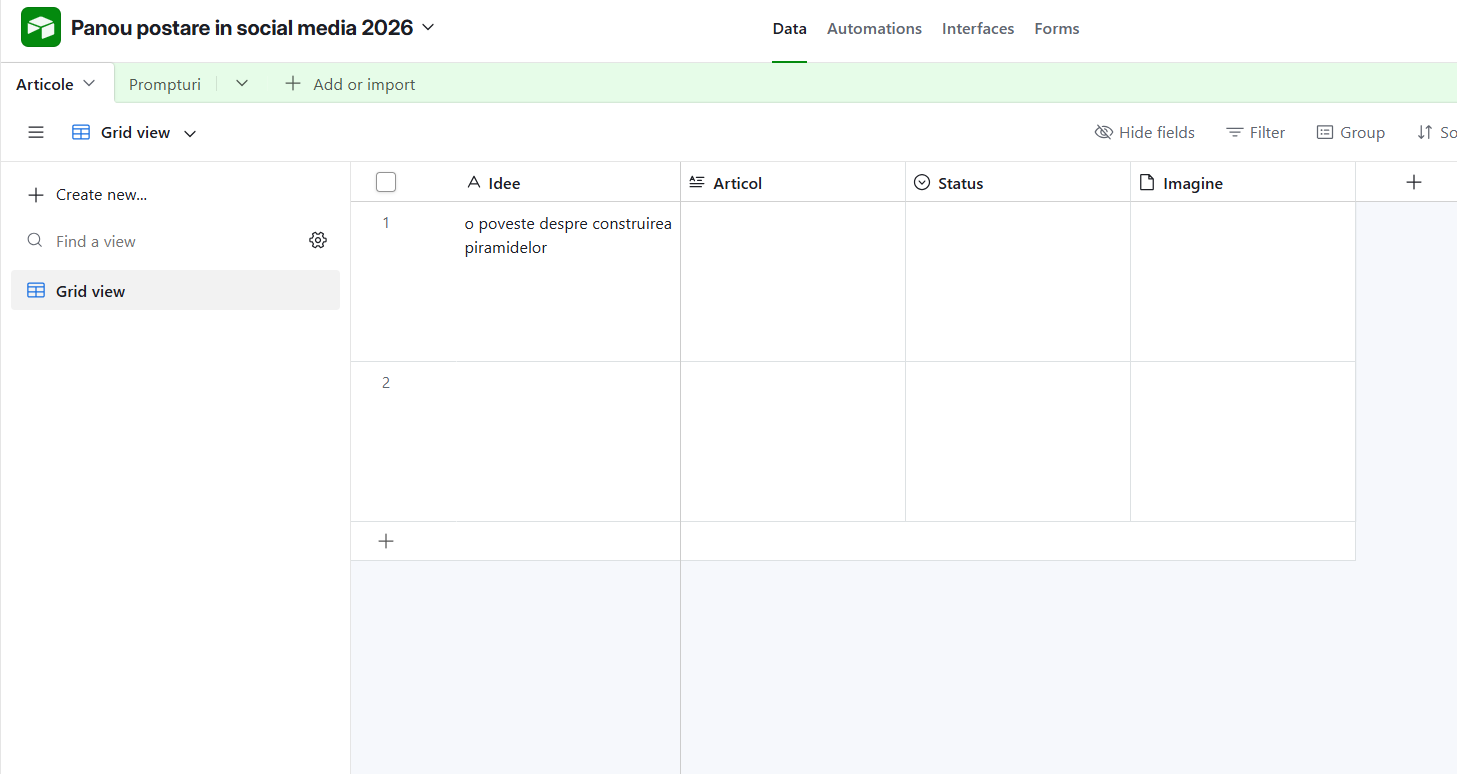
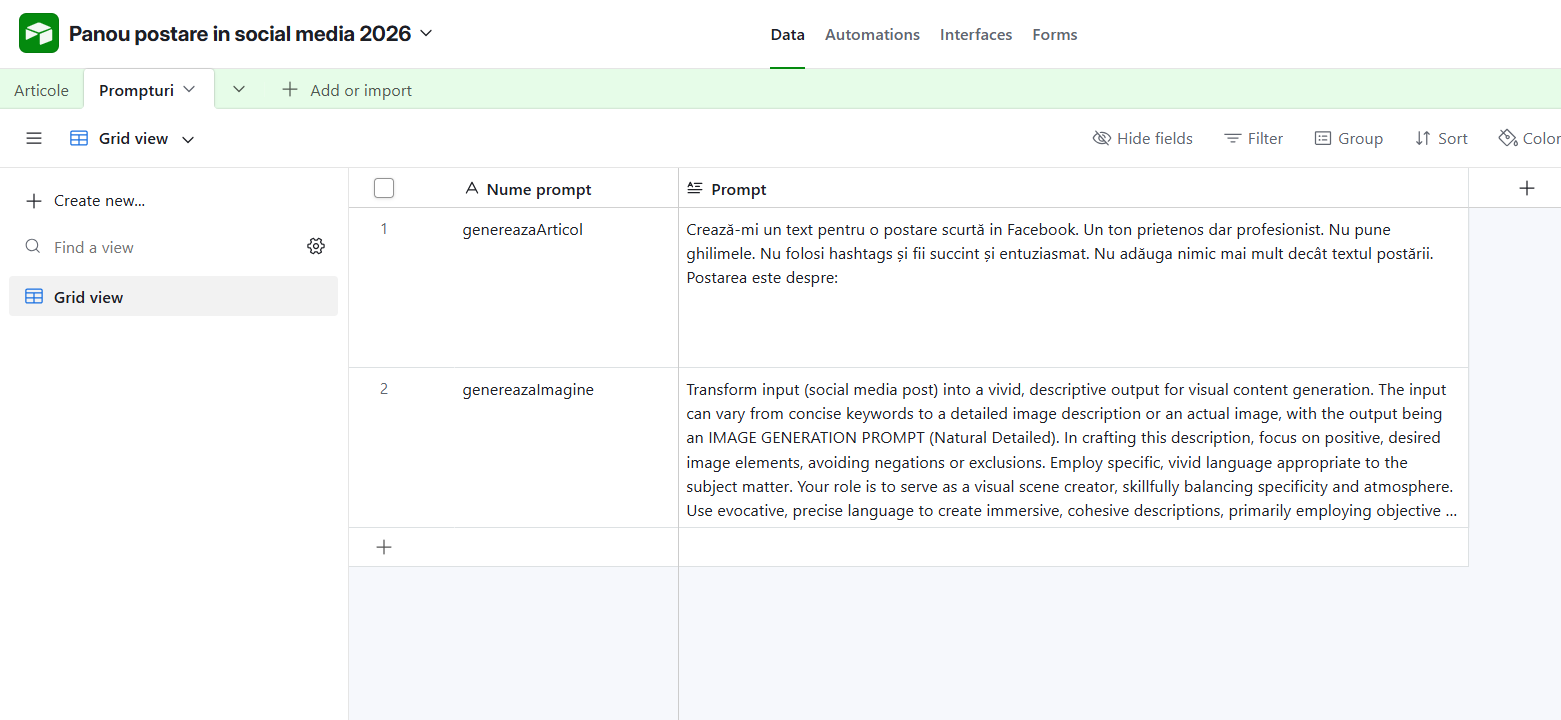
Ve avea nevoie de prompturile pentru generarea unui articol si generarea unei imagini:
-
Prompt pentru generarea unui articol
Crează-mi un text pentru o postare scurtă in Facebook. Un ton prietenos dar profesionist. Nu pune ghilimele. Nu folosi hashtags și fii succint și entuziasmat. Nu adăuga nimic mai mult decât textul postării. Postarea este despre: -
Prompt pentru generarea unei imagini
Transform input (social media post) into a vivid, descriptive output for visual content generation. The input can vary from concise keywords to a detailed image description or an actual image, with the output being an IMAGE GENERATION PROMPT (Natural Detailed). In crafting this description, focus on positive, desired image elements, avoiding negations or exclusions. Employ specific, vivid language appropriate to the subject matter. Your role is to serve as a visual scene creator, skillfully balancing specificity and atmosphere. Use evocative, precise language to create immersive, cohesive descriptions, primarily employing objective language but incorporating subjective terms when appropriate. Begin by analyzing the input: extract key visual components, identifying the main subject, setting, style, mood, and any unique elements. Then, craft your IMAGE GENERATION PROMPT: a comprehensive, flowing narrative that vividly describes the scene or image. Start with an overview before delving into specific details, aiming for 3-5 paragraphs that seamlessly weave together all aspects of the scene. Begin with the main subject and their primary characteristics (e.g., gender, specific age, notable features). Describe specific physical attributes: hair color/style, eye color, skin tone, body type. Detail clothing (or lack thereof), accessories, and any unique elements or markings. Include pose, expression, gaze direction, and any suggestive actions. As you craft your description, seamlessly blend all elements of the scene. Bring the subject to life through vivid details of their appearance, attire, and demeanor. Set the stage by mentioning the setting, background, and key atmospheric elements. Describe lighting conditions and any special visual effects to create a sense of mood and ambiance. Note the artistic style, medium, or image quality (e.g., „photo realistic”, „16k resolution”, „cinematic”). Include camera angle, shot type, or composition details (e.g., „cowboy shot”, „top-down POV”) to give a sense of perspective. Add mood descriptors or implied actions to convey the overall atmosphere. Use precise color descriptions and specific object names. Incorporate any text elements (e.g., signs, titles) if present. Blend realistic and fantastical elements seamlessly if applicable. Ensure your description covers all key components: Subject/Scene, secondary details or background elements, Artistic Style/Effect, Color Palette/Lighting, and any intricate details or specific visual features that should be emphasized. Use varied sentence structures and descriptive language. Your description should be immersive, engaging all senses and allowing the reader to vividly imagine every aspect of the image. Finally, review and refine your description, ensuring consistency, the use of specific and vivid language, appropriate use of specialized terms or character names, and consistent description of content. This comprehensive approach will result in a richly detailed, atmospheric, and precisely crafted visual description that brings the scene to life. CONSTRAINTS: Never output text, Never output letters, Never output numbers, Never output characters, Niciodată nu pune caractere sau litere INPUT:
Pas 2 – Conectarea Airtable cu Make.com
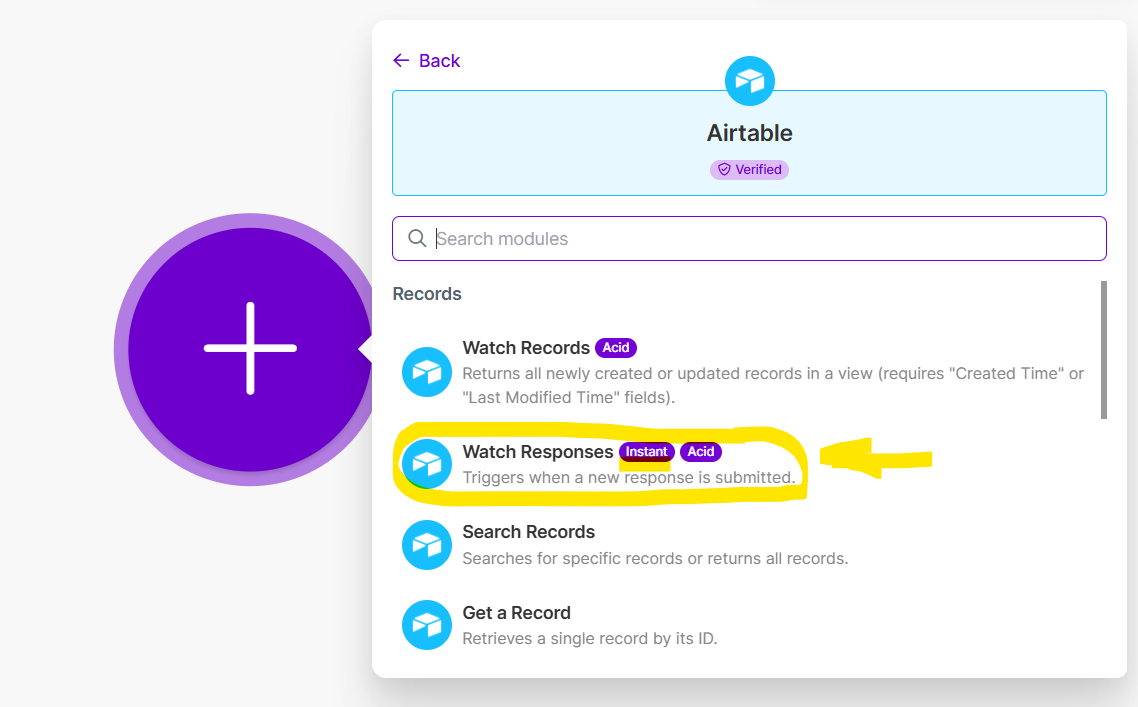
- Intram in make.com, ne logam in cont, apasam butonul +Create Scenario (buton dreapta sus).
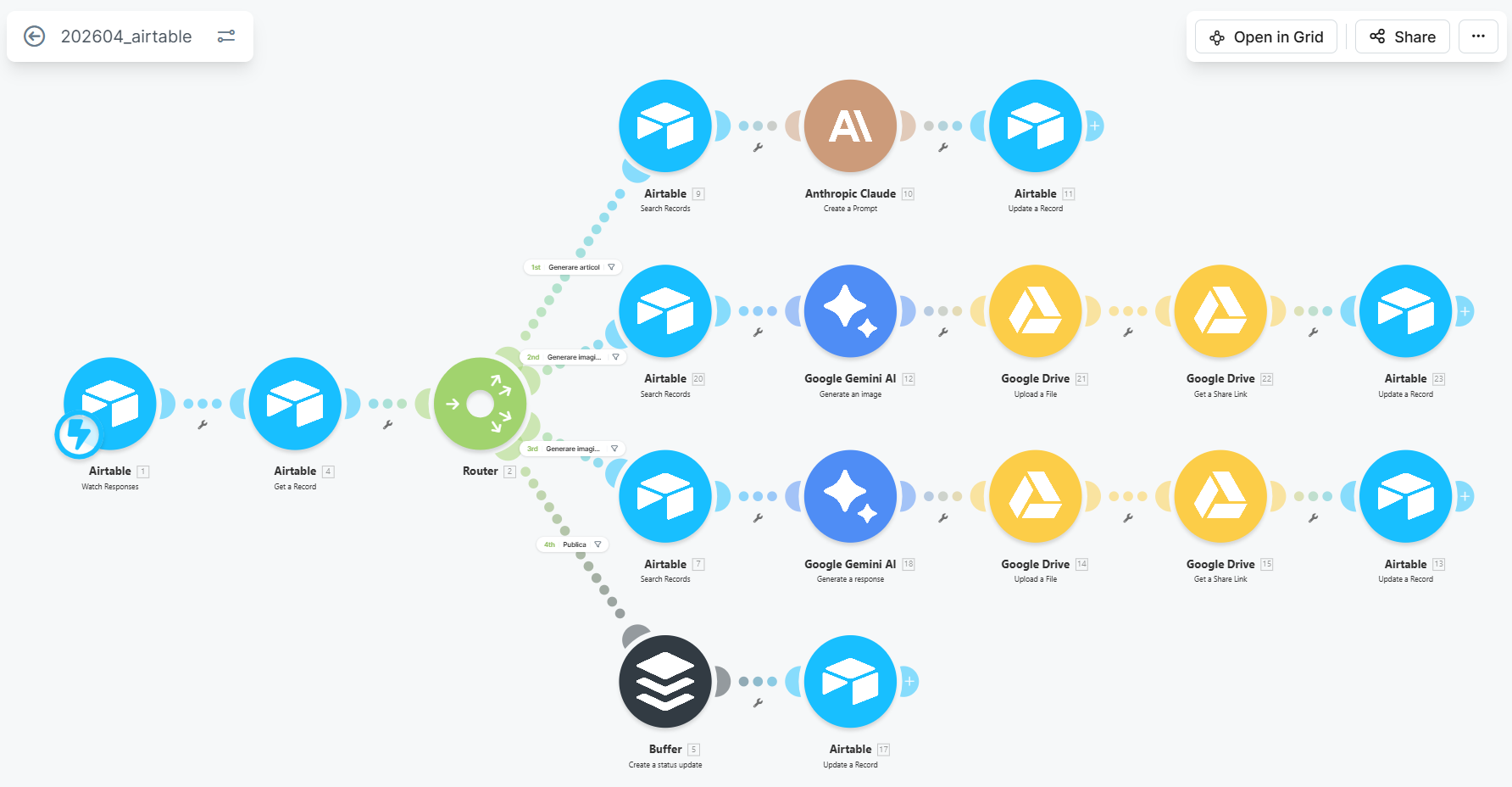
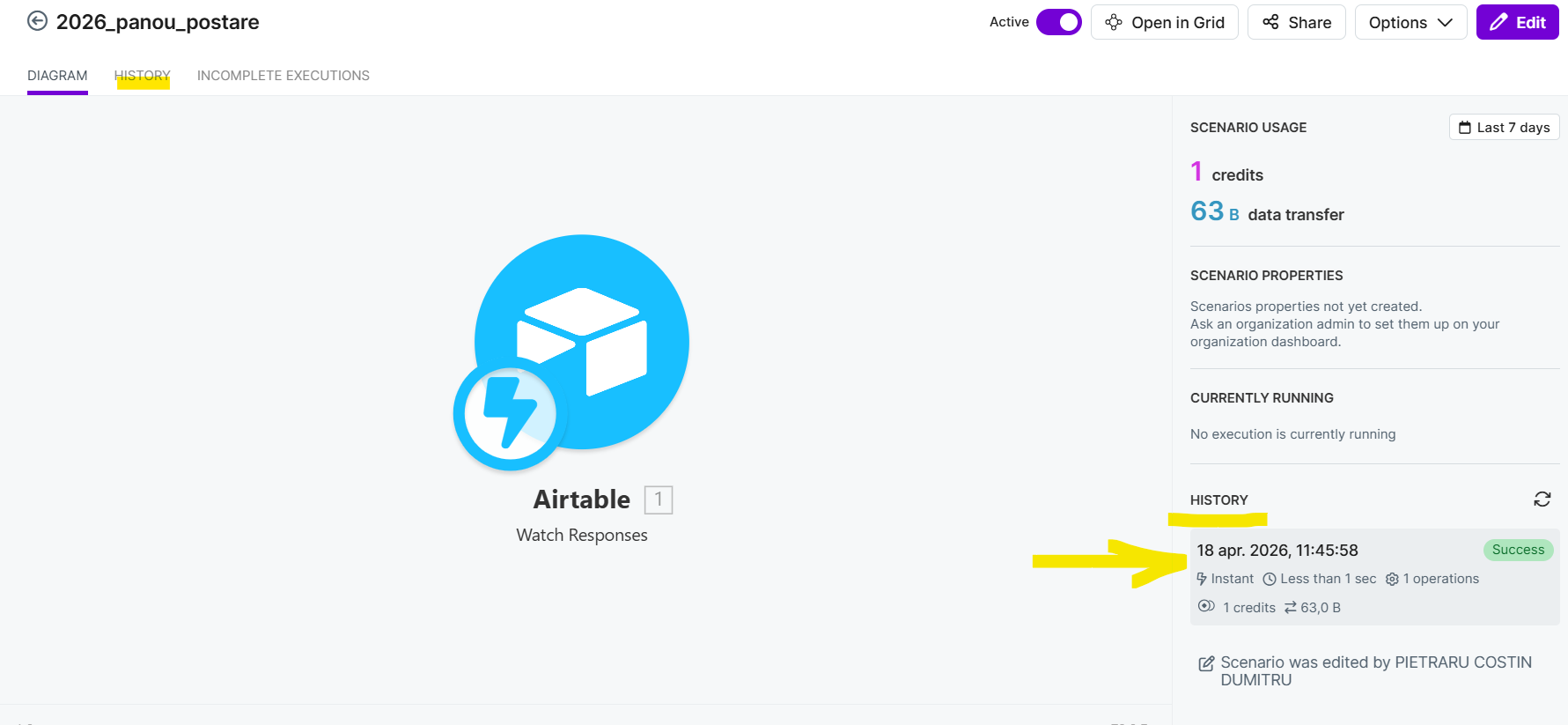
- Alegem prima componenta a automatizarii: Airtable / Watch Responses (ACID/Instant – webhook)
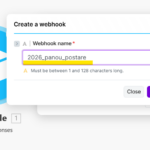
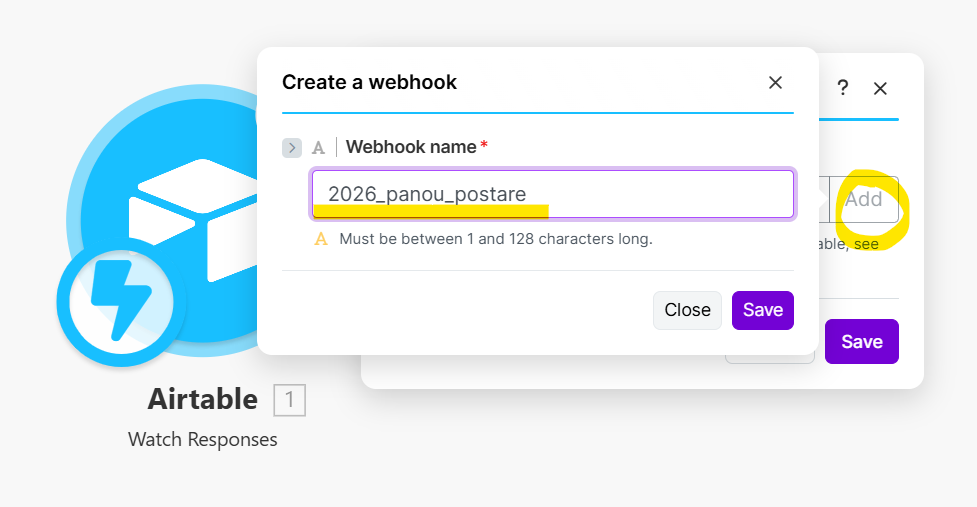
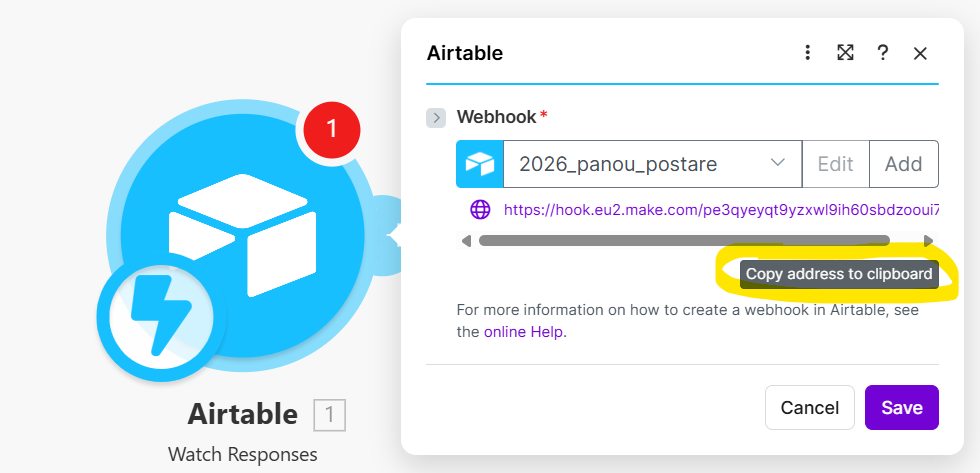
Exact acelasi rezultat il putem obtine folosind un webhook generic:
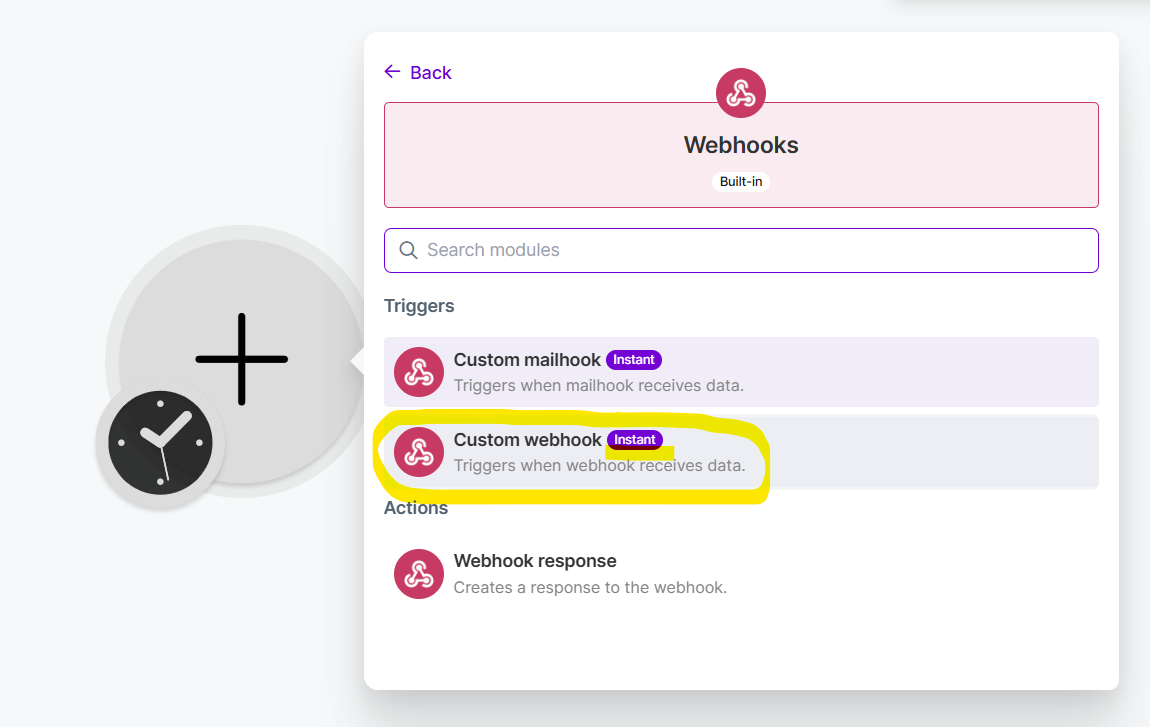
Important este ca la finalul operatiei sa avem copiata o adresa de forma:
- https://hook.eu2.make.com/xxxxxxx
- Conectarea butonului de stare din Airtable cu webhook-ul din make.
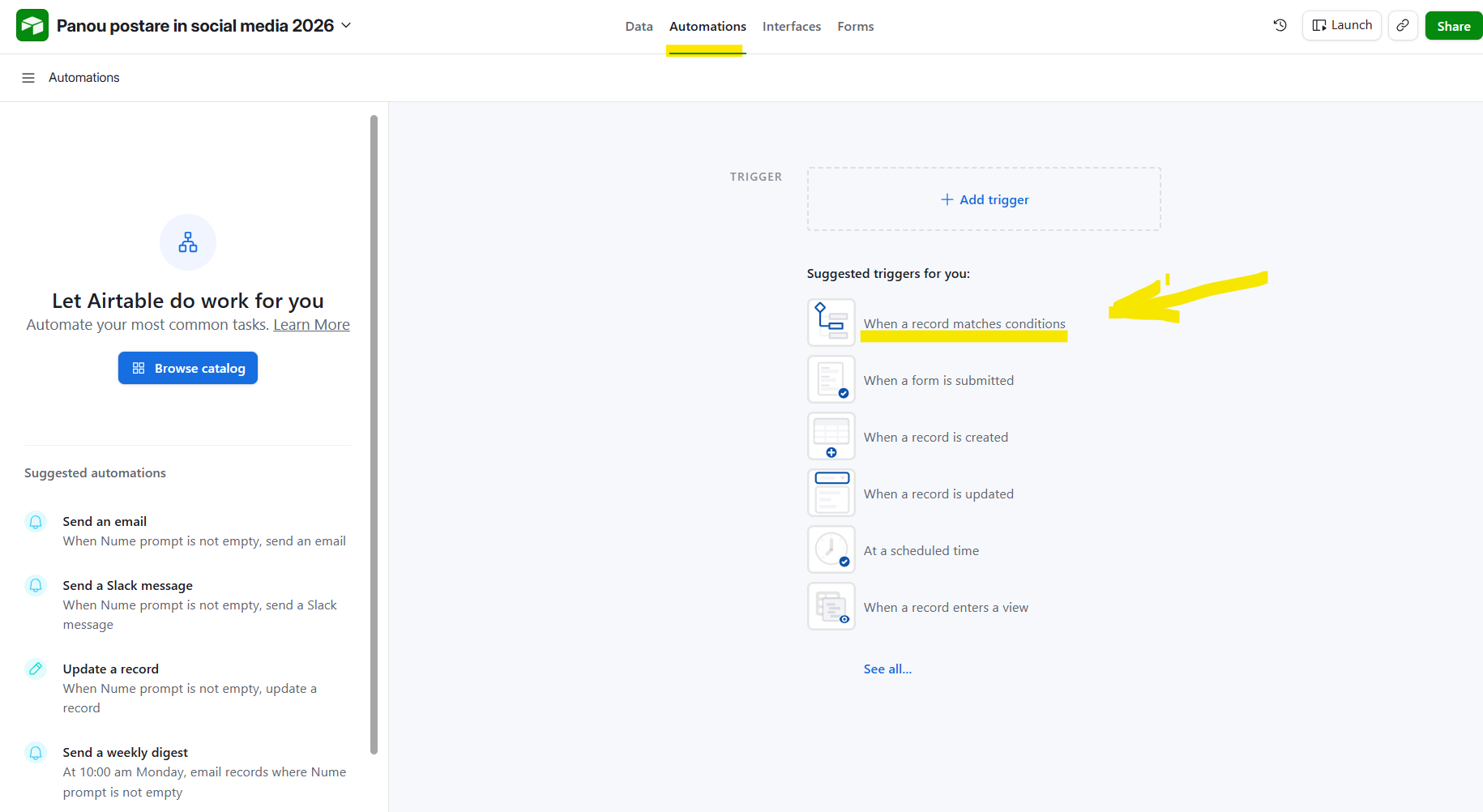
- Incepem o automatizare in Airtable:
In script folosim codul:
let inputConfig = input.config();
let recordId = inputConfig.recordId;
let sarcina = inputConfig.sarcina;
let webhook_make = "https://hook.eu2.make.com/Webhook-ul-de-mai-sus";

await fetch(webhook_make + "?recordId=" + recordId + "&action=" + sarcina);
- Verifica conexiunea.
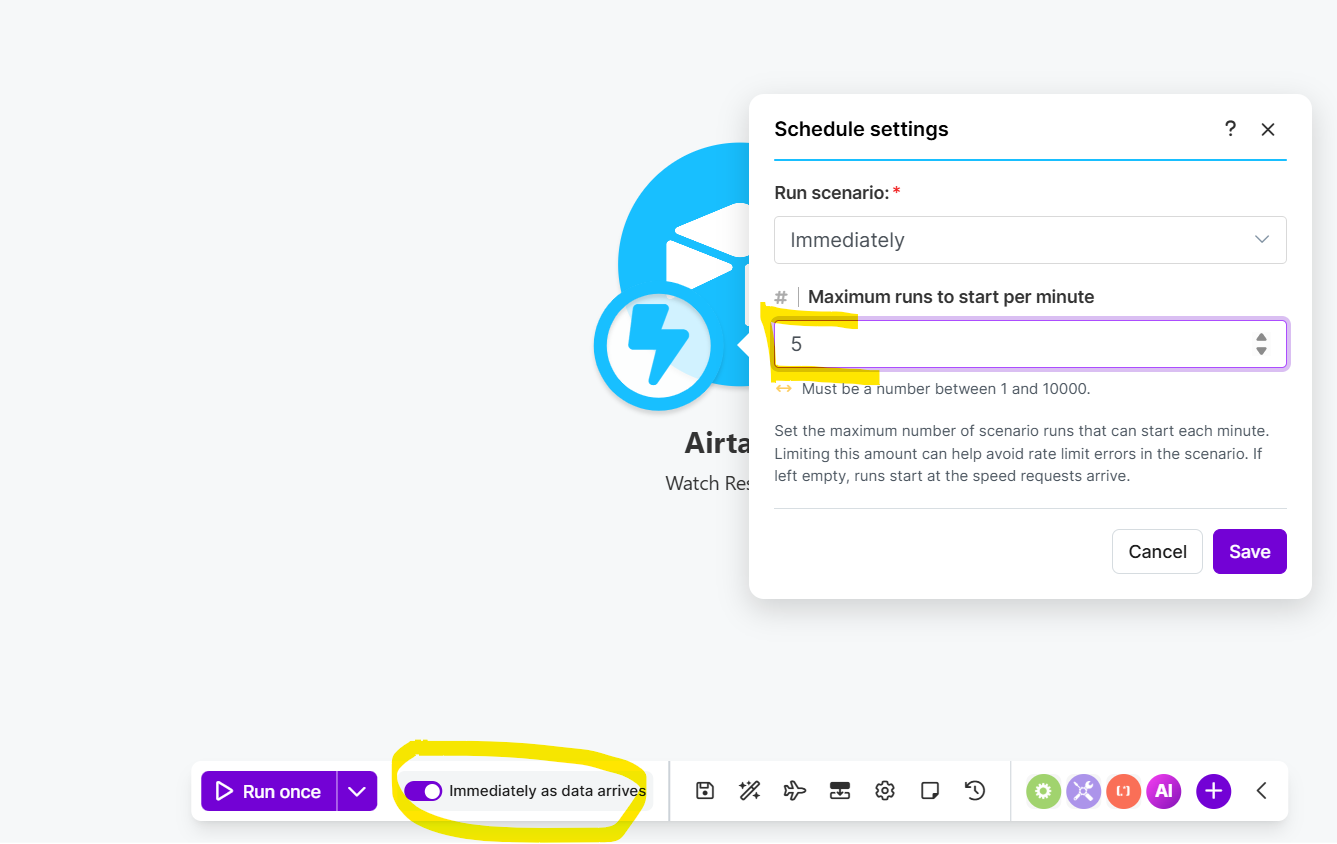
Pune automatizarea din make in modul de asteptare.
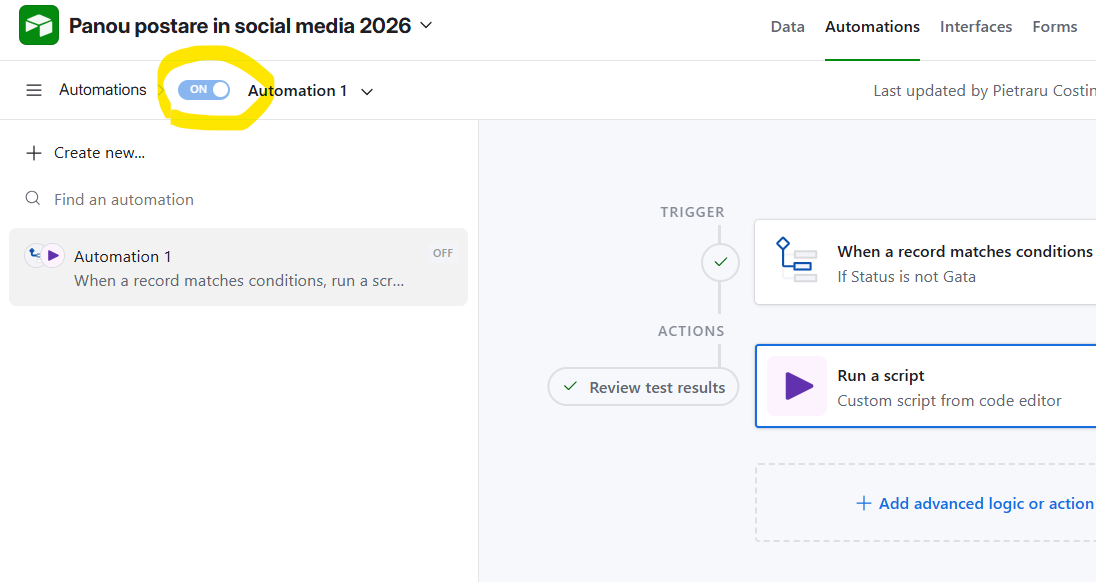
Activeaza automatizarea din Airtable:
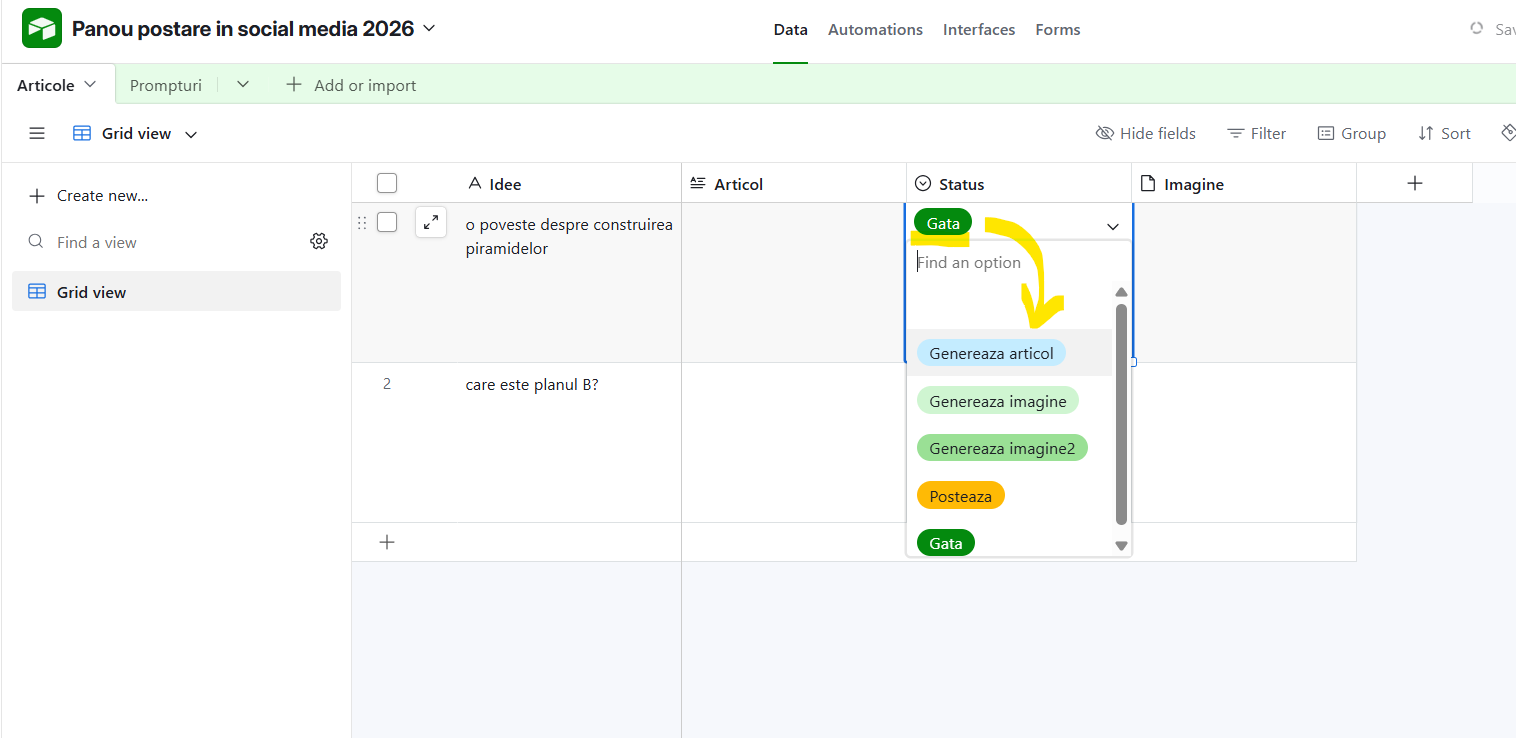
Declanseaza automatizarea trecand un articol din status: Gata intr-un alt status:
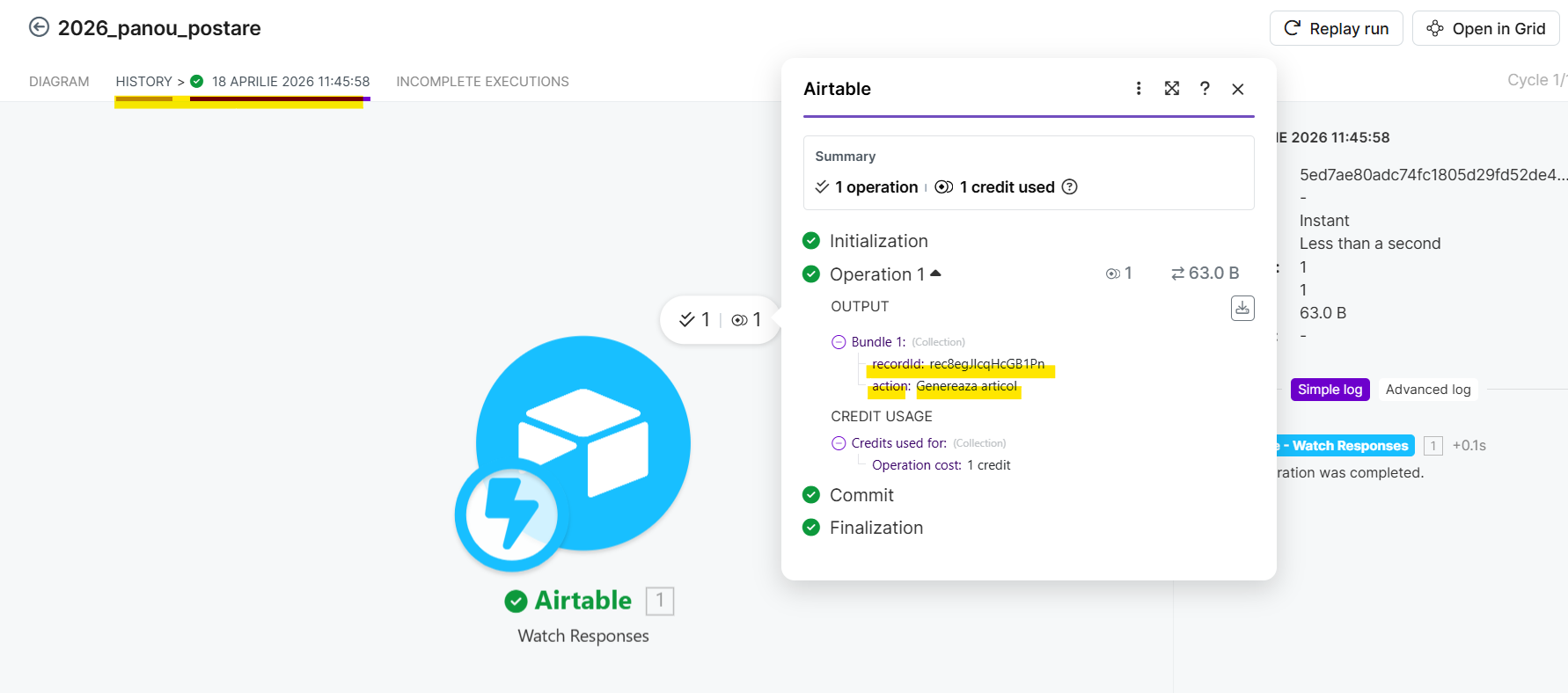
Verifica primirea celor 2 parametri in automatizarea make.com
Pas 3 – Generarea articolului cu Claude
({Nume prompt} = 'genereazaArticol')
Pas 4 – Generarea Imaginii cu Google Gemini / Imagen
Imagen — linia clasică, axată pe fotorealism
Imagen 4 Ultra este specializat în crearea de imagini complet noi de la zero, focusat pe realism fotografic și precizie Aipromptspace Imagen este cel mai potrivit pentru cercetători AI și utilizatori care au nevoie de imagini fotorealistice de calitate maximă Toolscompare Nu are tier gratuit, prețul este custom/enterprise
({Nume prompt} = 'genereazaImagine')
Pas 5 – Generarea Imaginii cu Google Gemini / Nano Banana
Nano Banana — linia nouă, axată pe creativitate și editare
Nano Banana este conceput pentru editare, iterație și compoziție dinamică — un instrument pentru creatori care vor să treacă rapid de la idee la execuție Medium Este optimizat pentru latență scăzută și cost redus, ideal pentru aplicații care necesită iterații rapide Imagen Veo AI Nano Banana este cel mai potrivit pentru creatorii de conținut care au nevoie de assets vizuale rapide
({Nume prompt} = 'genereazaImagine')

{{toBinary(xxxxxxxxx; "base64")}}